Free Email Marketing Tools for Events
1. Audience Segmentation Contents
- 1. Audience Segmentation
- Attendee Email Marketing Segmentation with Stride Events
- Participant Email Marketing Segmentation with Stride Events
- Additional Audience Email Marketing Segmentation with Stride Events
- 2. Drafts & Copying
- 3. Test, Scheduled, & Immediate Sends
- Test Emails
- Scheduled Emails
- Immediate Sends
- 4. Event Logo Auto-included
- 5. Social Media Links Auto-included
- 6. Sponsor Logos Auto-included
- 7. Customizable Templates
- 8. Email Stats
- Proven Email Marketing Tools for Events
Event email marketing is one of the most cost-efficient ways to reach out to potential attendees and increase sales. Email marketing is a free and powerful tool that will help you best grow your events. Take advantage of every marketing tool available to reach your target audience.
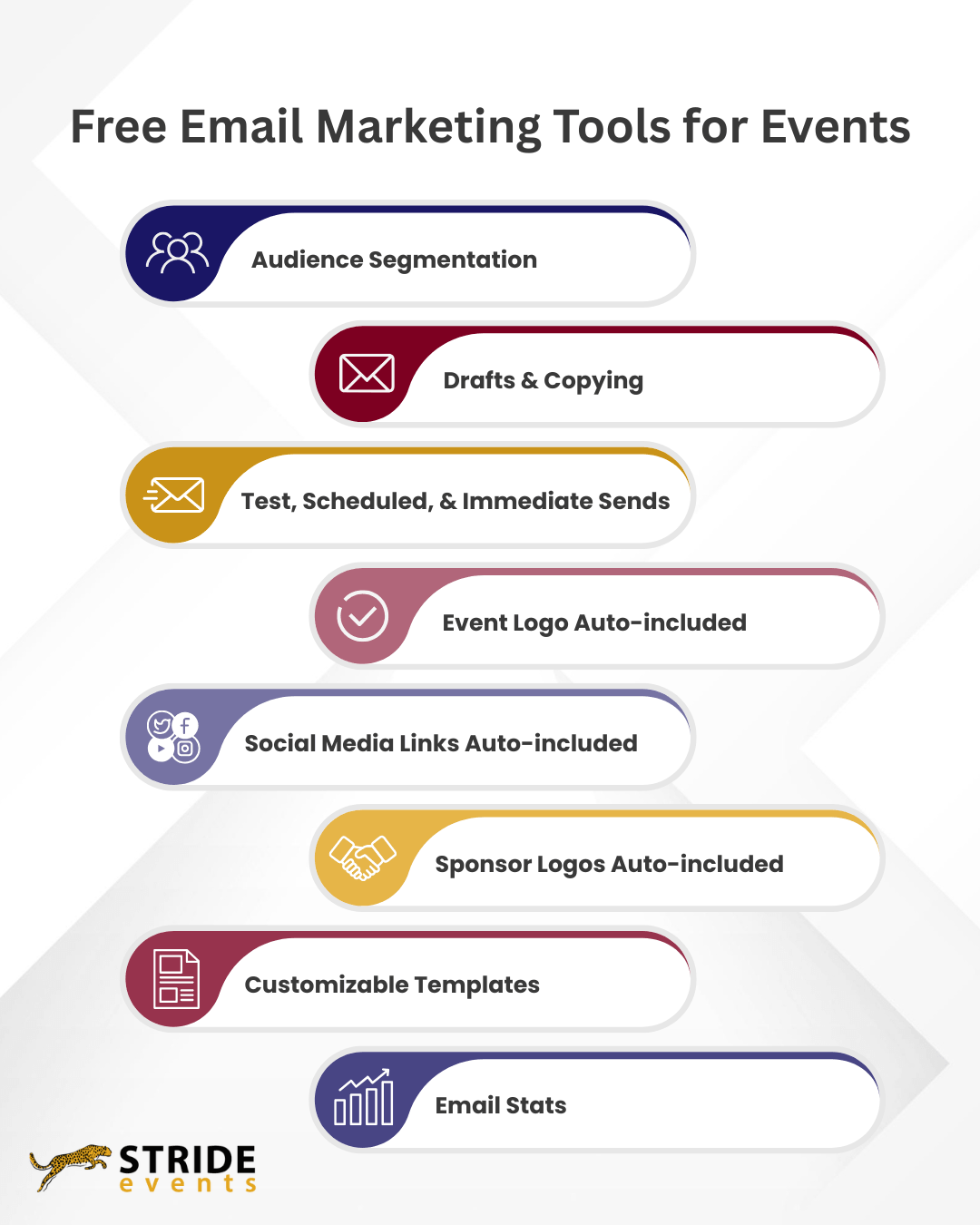
Stride Events offers eight free email marketing tools for events:
- Audience Segmentation
- Drafts & Copying
- Scheduled & Immediate Sends
- Event Logo Auto-included
- Social Media Links Auto-included
- Sponsor Logos Auto-included
- Customizable Templates
- Email Stats
1. Audience Segmentation
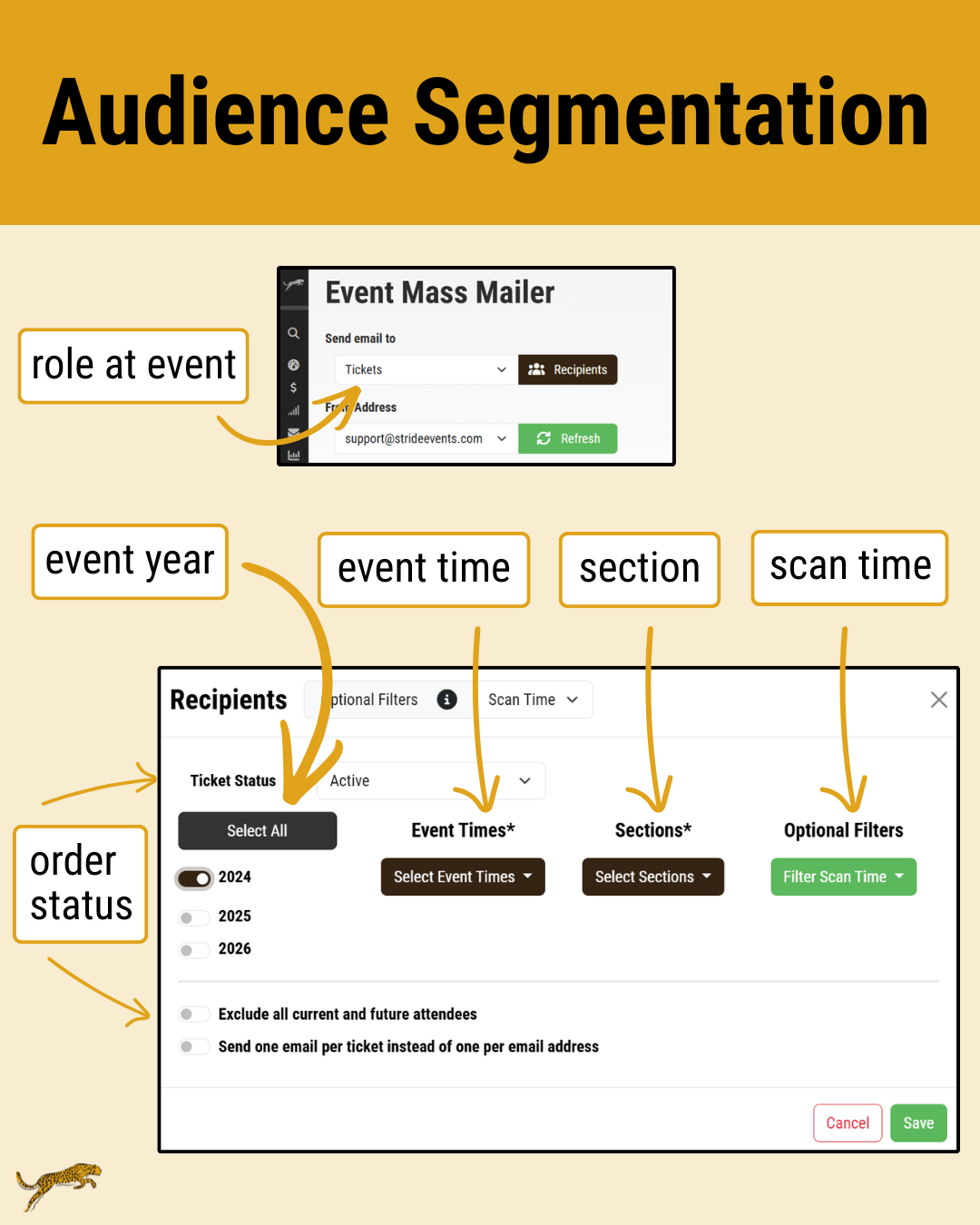
You can send emails to your attendees and participants based on purchase and activity choices. You can target people who started but never completed an order for your event. You can share event-time- or category-specific information in an email to people attending that particular event time or in that particular category only.
Attendee Email Marketing Segmentation with Stride Events
- Event Year
- Incomplete Orders
- Complete Orders
- Event Time
- Section
- Scan Time
- Question Answers
Participant Email Marketing Segmentation with Stride Events
- Event Year
- Incomplete Orders
- Complete Orders
- Gender
- Question Answers
- Category
- Location
Additional Audience Email Marketing Segmentation with Stride Events
With robust email list segmentation, you can quickly and easily communicate with everyone associated with your event.
2. Drafts & Copying
Within our email tool, you can customize your emails with text and images. Save drafts so you don’t lose all your work if you need to finalize the draft later. You can also copy sent emails to update if you need to send a similar email again or to a different audience.
3. Test, Scheduled, & Immediate Sends
You can ensure that your emails look how you’d like and send when you want them to send.
Test Emails
Preview your emails before sending them to your audience. You’ll see a preview in our system before sending. For a fuller preview and to test delivery, you can also send a test email to yourself.
Reviewing the test email helps to make sure that the spacing and design looks the way you want it to. If you add pictures, you can check their location before you send the message. It is a great way to make sure the message has that clean polished look before you send it out to your audience.
The test email also helps you determine if your email is going to be delivered to the primary inbox or end up in the promotions tab or spam folder. If your email doesn’t end up in your primary inbox, check the following:
- Image File Names – Do they sound spammy?
- Image Quantity – Do you have too many images?
- Subject Line – Does your subject line sound spammy?
- Domain Verification – Have you verified your domain?
- Email Frequency – Have you been sending your recipients too many emails within a short period of time?
Testing your email before you send it out to the entire list is helpful for more successful delivery to the inbox and spot checking that it looks how you want it to.
Scheduled Emails
You don’t have to set an alarm to remind yourself to send an email. You can create it and test it when you have time. Then, set what day and time you’d like that email to be sent. Most email marketers recommend sending emails on Tuesdays, Wednesdays, and Thursdays to get the most engagement.
Scheduling your emails in advance helps you check email marketing and other important communication off of your to do list faster. With this flexibility, you can spend more time on event operations, prep, and sponsor sales.
Immediate Sends
If you need an email to go out as soon as you have it written, you can also send it immediately.
4. Event Logo Auto-included
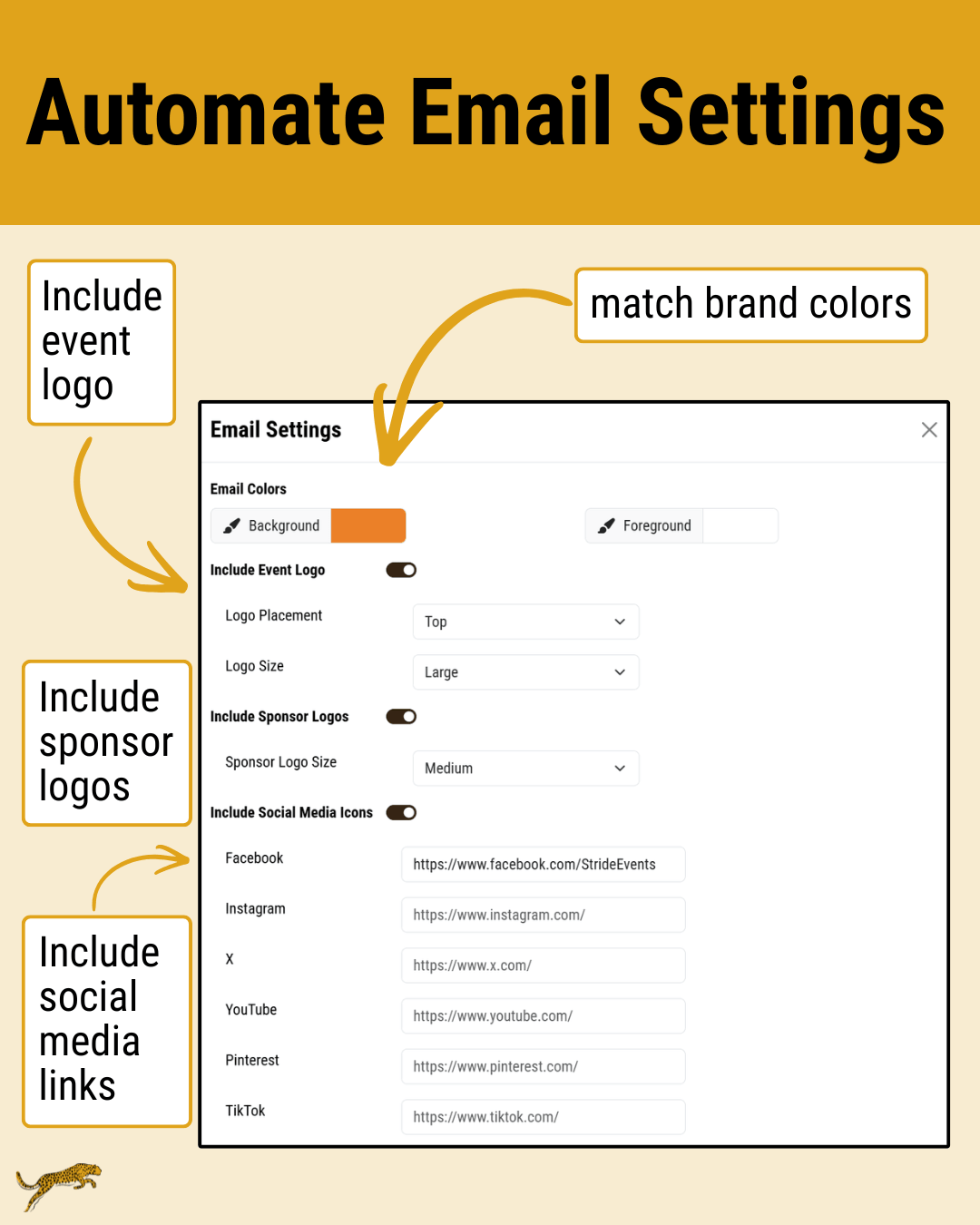
Cut down on the amount of time you spend styling your emails by automatically including your event logo at the top or bottom of your emails.
Make the setting once, and your logo will appear in all of your emails. No need to upload it as a new image or adjust the placement or sizing.
5. Social Media Links Auto-included
Give people the opportunity to connect with your event on social media. Under “Email Settings”, add links to all of your social media accounts. Once you’ve added the links, social media icons for your platforms will appear in the footers of each email you send.
6. Sponsor Logos Auto-included
It’s easy to boost sponsor visibility in your emails. It’s also a great addition to your sponsor packages.
Under “Email Settings”, turn on sponsor logos. Then, they’ll start appearing in your email footers organized by your sponsor categories.
7. Customizable Templates
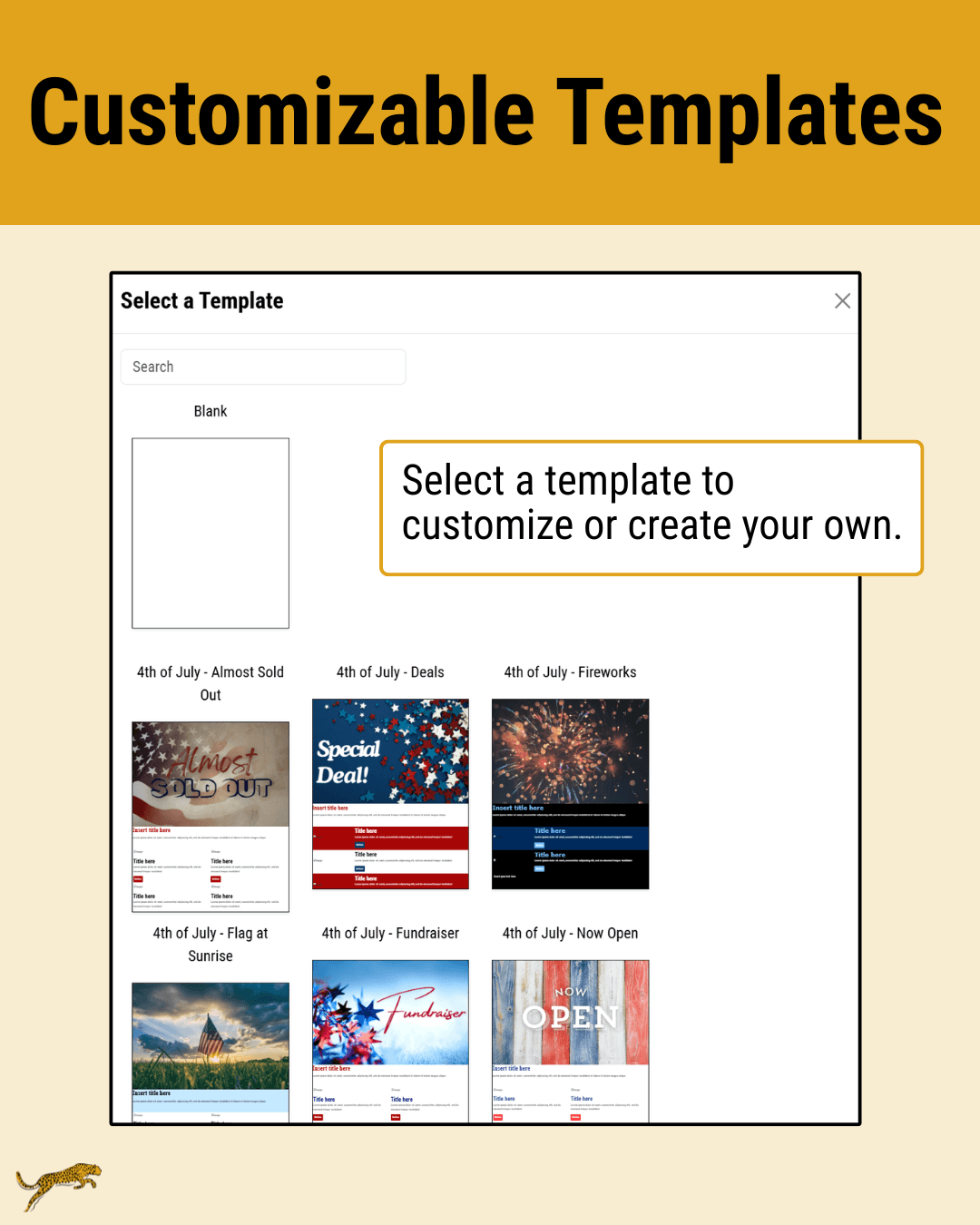
Take your email design to the next level with customizable email templates. Take pre-built templates and tailor them to your needs. Adjust colors, input text, update button links and text, and add your own images.
8. Email Stats
Track your email stats to identify what works best in your email marketing. With our emailer, you can see the number of recipients, the number of times the email was opened, and how many times your links were clicked.
Use these numbers to calculate your open rate and your click-through rate.
To calculate the open rate: divide the number of times your email was opened by the number of recipients. Good open rates are usually between 10-20 percent.
To calculate the click-through rate divide the number of link clicks by the number of recipients. Good click-through rates tend to be around 2-3 percent.
These numbers help you understand if your emails are resonating with and engaging your audiences:
- If your open rates are low, write more engaging subject lines.
- If your click-through rates are low, look for ways to make your links stand out and consider updating your link or button text.
Proven Email Marketing Tools for Events
Successful email marketing depends on your overall strategy and making improvements over time. With the right tools, you’ll be able to assess and improve your event email marketing game.
You’ll ensure your emails go to the right audience at the right time. You’ll also be able to save time designing emails with templates, auto-included logos, and auto-included social media links. You can even copy emails you’ve created to send again with updated content or to a different audience. This ability to copy emails saves you time in future event years since you send similar information and marketing emails each year.
With Stride Events, you can implement an effective email marketing strategy for your event.